

For internal IT teams
RMM for internal IT teams
Every managed device, one place to look. Know what you have, keep it patched, catch a compromised account, and give staff one place to ask for help.
You are not billing anyone. Run one organization, use locations for your offices, and leave the MSP tools unused.
Inside Revolutionary RMMDevices
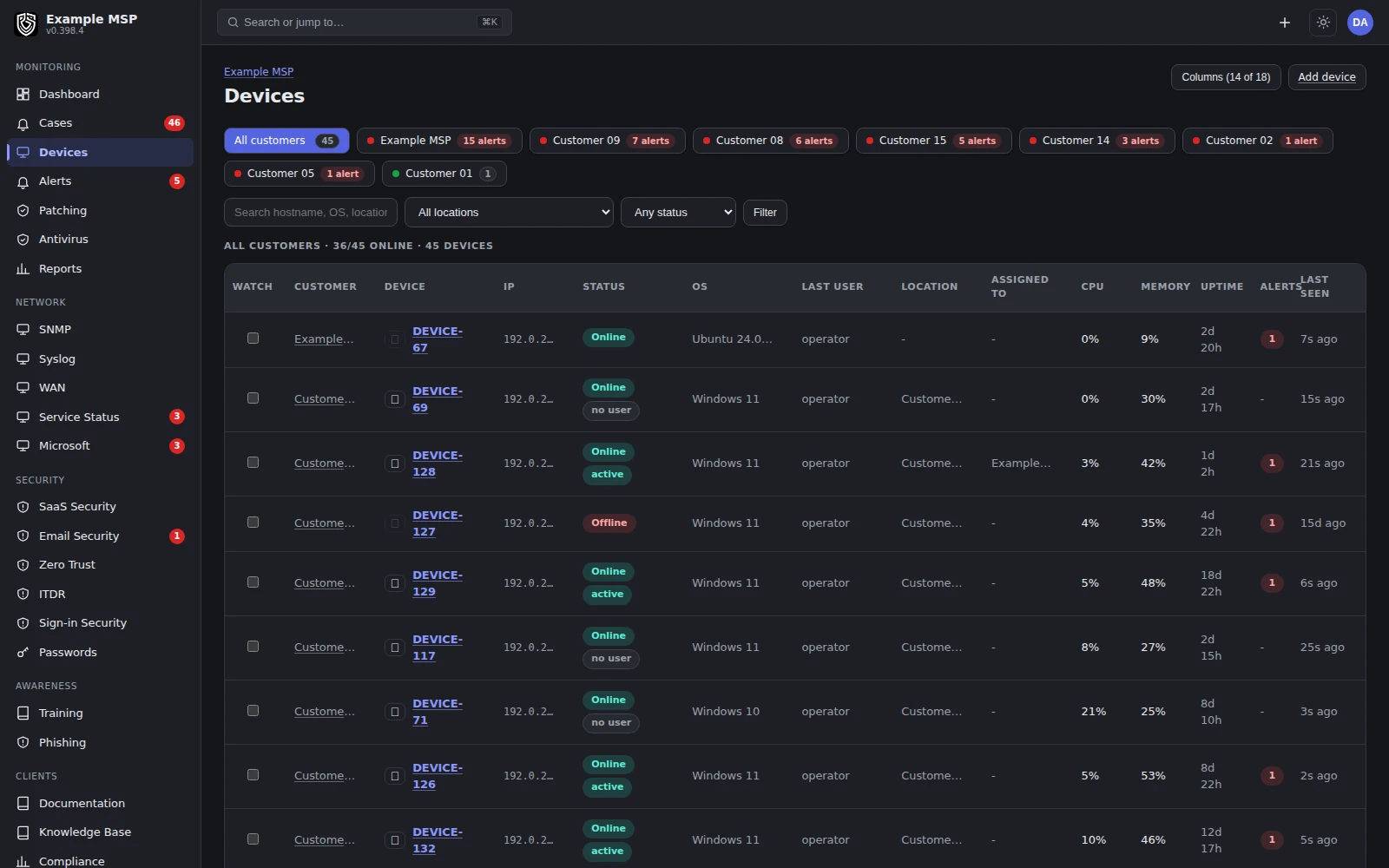
The device list, with online status and the signed-in user, so you know who is at the machine before you connect. Product capture with fictional customer names.
The job
What a small internal team actually needs.
01
Know what you have
Computers, plus switches, printers, storage and battery backups, in one inventory built from what your agents and network relays report.
02
Patch deliberately
Deploy updates per device or across the organization, exclude what should wait, and set an automatic rollout after a waiting period.
03
Support people remotely
A native controller for Windows, macOS and Linux that reaches the Windows sign-in screen.
04
Catch the account takeover
Microsoft 365 and Google Workspace sign-in signals, with block, revoke and suspend responses on rules you set.
05
A help desk staff use
Email, portal and text message requests in one queue, with the device and its history attached.
06
Answer the audit
17 automated checks and 4 attestations, mapped to CIS, NIST, PCI and HIPAA. It gathers evidence; it is not an audit.
Set up for one organization
You do not have to run it like an MSP.
The multi-customer machinery is there. For one organization, most of it simply goes unused.
LOCATIONS
Your offices as locations
Add each office or site as a location. Policies can differ per location, so a warehouse can have different thresholds from head office.
DEVICE GROUPS
Groups that match on rules
Dynamic device groups match on operating system, tags and location. Policies and deployments can target a group.
DEPLOYMENT
Deploy the way you already do
A silent EXE or MSI for Group Policy, Intune or configuration manager. One reusable enrollment token for your organization, with an optional location, so there is nothing to create per machine.
ANTIVIRUS
Keep your antivirus
Microsoft Defender or a third-party engine: the platform monitors and drives whichever is actually running rather than asking you to replace it.
Patching
Updates you can follow to the finish.
01
Find what is missing
The agent reports missing operating-system updates with their security severity.
02
Choose what ships
Deploy per device or across the organization, exclude an update, or let critical and important updates auto-deploy after a set number of days.
03
Watch it land
A live board shows installed, installing, waiting, failed and expired counts per device.
04
Finish the reboot
An update that installed but needs a restart is marked waiting for reboot, not deployed again. The next scan confirms it.
Inside Revolutionary RMMPatching
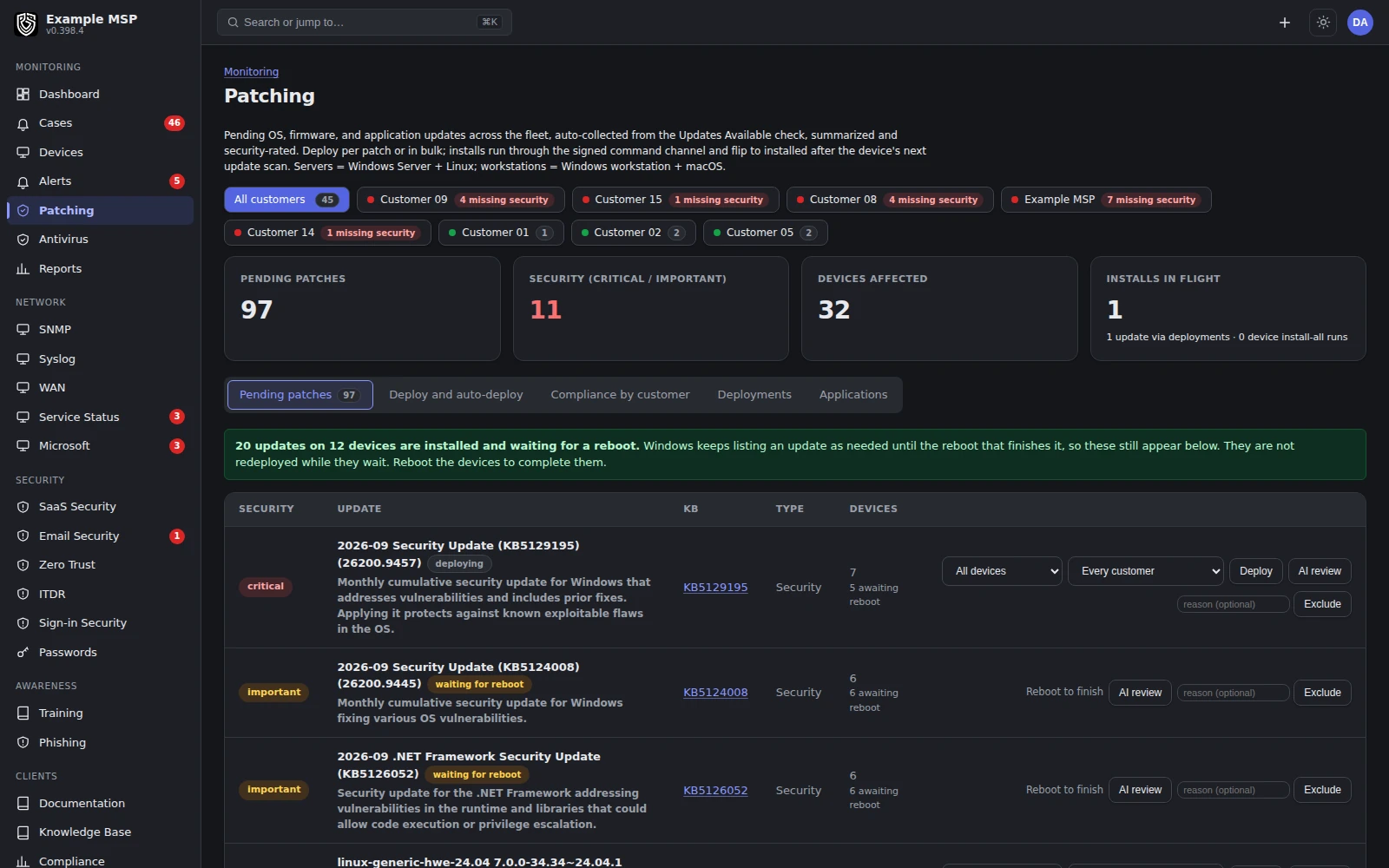
Pending updates with security counts, and updates marked waiting for reboot. Product capture with fictional customer names.
Remote support
Help someone without walking over.
REACH
Windows, macOS and Linux
A native controller, not a browser viewer. A Windows machine at the sign-in screen is still reachable. Linux works on X11 and Wayland desktops.
CONSENT
The user knows
Windows workstations show a prompt naming the technician. Macs prompt the signed-in user. Wayland desktops ask for consent on each connection.
TOOLS
What you can do
File transfer both ways, clipboard paste, monitor selection, screenshots, blank screen and block input. Session minutes are logged to the ticket.
Identity
Spot the compromised account early.
DETECT
Signals that matter
Suspicious sign-ins, forwarding rules that send mail outside your domain, role changes, app consent, and gaps in multi-factor sign-in.
RESPOND
Act on your rules
Block a sign-in, revoke sessions or sign the user out in Microsoft 365, or suspend in Google Workspace, by hand or by a response rule you turn on.
Microsoft 365 needs your administrator to approve the Revolutionary RMM application. Google Workspace needs a service account with domain-wide delegation, and has limited field use so far.
Inside Revolutionary RMMIdentity
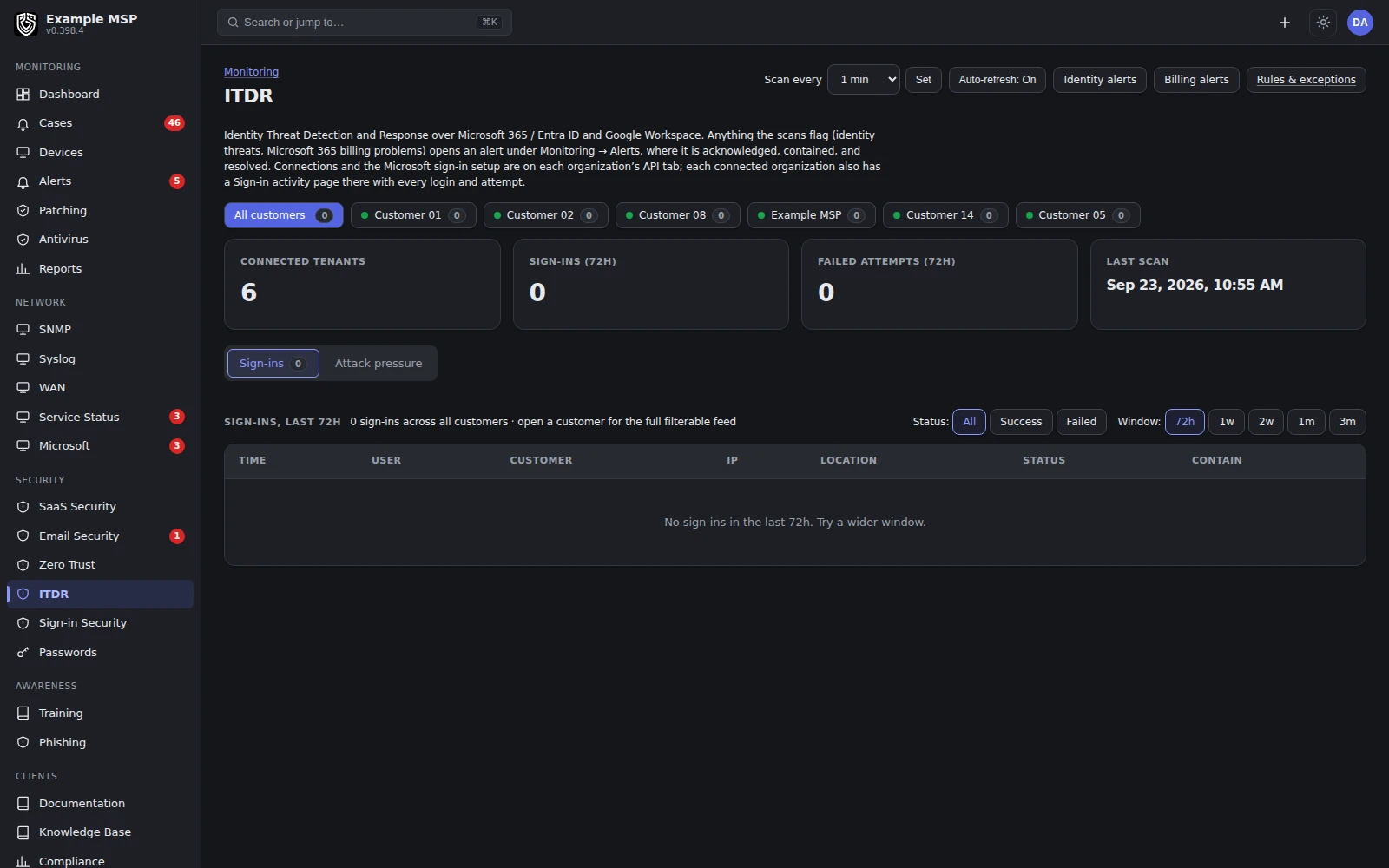
Connected tenants with sign-ins, failed attempts, the last scan and how often it runs. Product capture with fictional customer names.
Service desk for staff
Somewhere sensible to ask for help.
INTAKE
Email, portal or text
A support mailbox that threads on the conversation, a staff portal, and text messages through an SMS provider you connect.
CONTEXT
The device is attached
Link a ticket to a device and its metrics, commands and patch history are one click away.
PORTAL
Show staff only what helps
Portal tabs follow a role matrix, so staff can raise and follow tickets without seeing tabs meant for administrators.
KNOWLEDGE
Write the runbook down
Documentation and AES-256-GCM encrypted credentials beside the systems they describe, with every reveal audited.
Inside Revolutionary RMMService desk
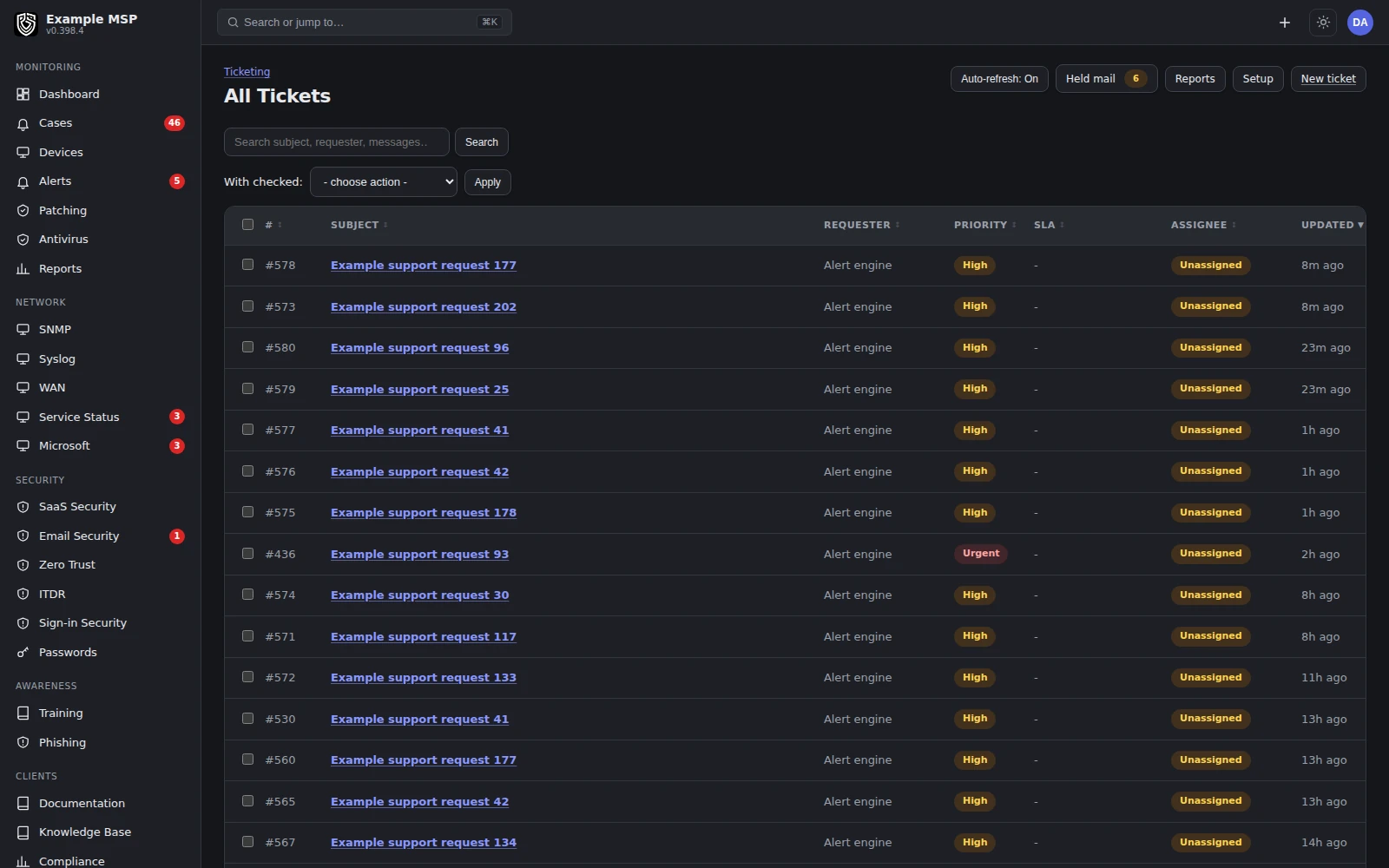
The board, with requests grouped by the state they are in. Product capture with fictional customer names.
What you will not need
The MSP parts stay out of your way.
Revolutionary RMM is built for MSPs too, so some features are for billing customers. An internal team can simply leave them alone.
BILLING
Invoicing and quotes
You can run one organization and simply not use invoicing, quotes or payment processors.
PORTAL
Tabs you do not want
Hide portal tabs such as invoices by role, so staff see tickets and the pages that help them.
TOKENS
Per-device setup
One reusable enrollment token covers your organization. There is nothing to create per machine.
Limits
What it does not do yet.
Limits
- There is no separate single-organization mode. Billing and portal features stay in the product; you leave invoicing unused and hide portal tabs by role.
- Patch detection covers operating-system updates. Other applications are deployed as installers you upload.
- There is no network discovery scan yet. Devices appear when an agent is installed, when SNMP polling is set up, or when you add them by hand.
- The agent needs Windows 10 or 11, or Windows Server 2016 and later.
- We do not hold a SOC 2 report and do not offer contractual service level agreements or a contractual response time. Support is 24/7 from the founding team rather than a staffed operations center. Security and trust →
Not in the product today: network discovery, verified third-party application updates, and verified offboarding.
Questions
Good to know.
No. Run one organization, add your offices as locations, and group devices by operating system, tags or location. The multi-customer features are there if you ever need them.
There is no switch that removes it. You simply do not use invoicing, quotes or payment processors, and you can hide billing tabs from staff in the portal by role.
Use the silent EXE or the MSI through Group Policy, Intune or configuration manager, with one reusable enrollment token for your organization.
No. It monitors and drives Microsoft Defender or the third-party engine that is actually running, including definition updates and threat state.
Two-factor authentication is required for staff who sign in with a password. If you use single sign-on, your identity provider enforces the second factor.
Yes. The portal lets staff raise and follow their tickets, and you decide by role which other tabs they see.
Keep exploring
Next step
See it on your own estate.
On the call we will look at what you are running now and what it would take to get a clear picture of it.
