

Automation
Scripting and automation
For MSP technicians who run the same fixes every week. Scripts, schedules and built-in routines handle the repeat work, every run is recorded, and a script attached to a monitor counts as a fix only when the monitored condition clears.
Inside Revolutionary RMMDevice overwatch
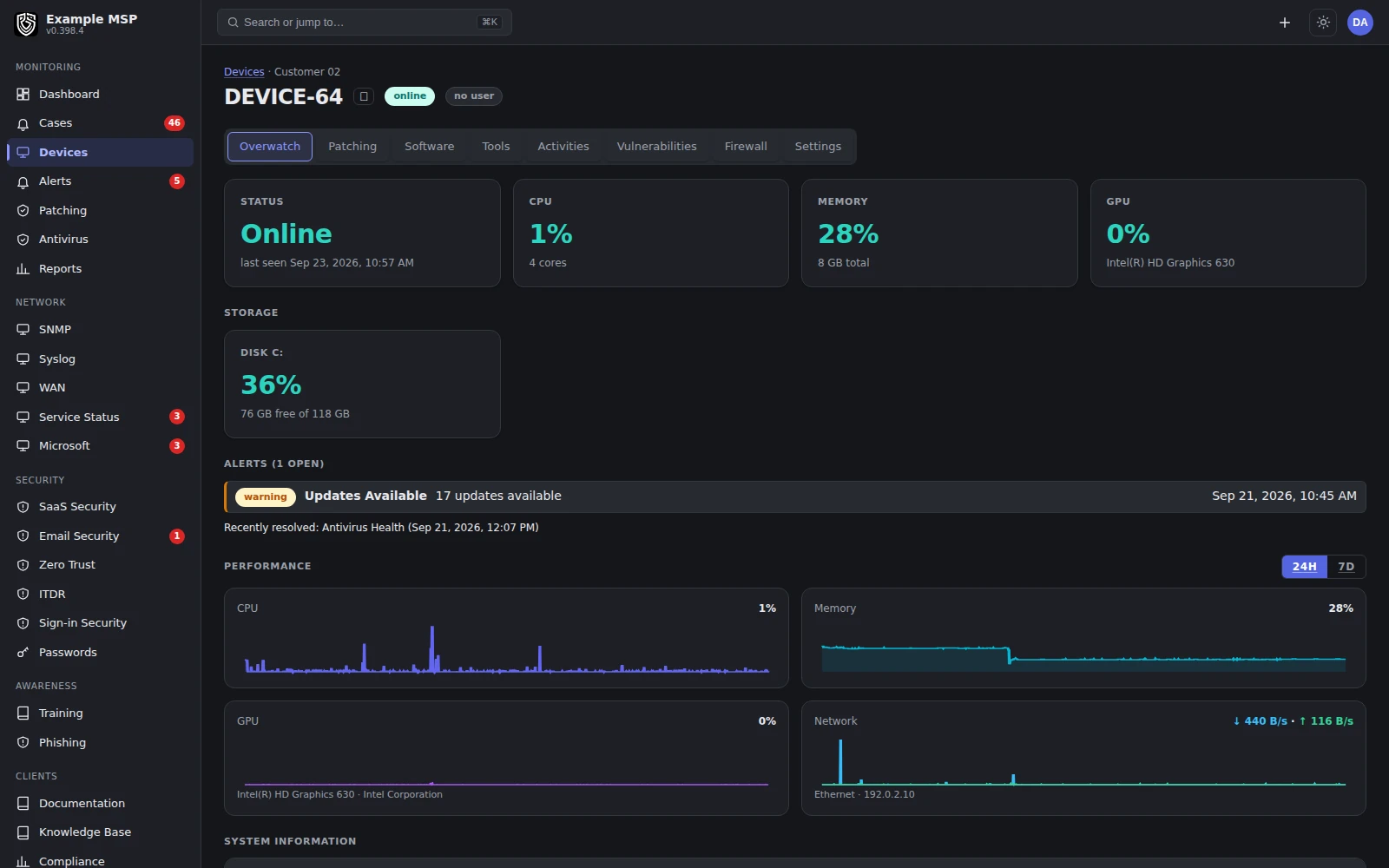
A device's own readings over time, where the effect of a fix shows up. Product capture with fictional customer names.
What it does
Start with the scripts everyone writes anyway.
01 / LIBRARY
A Windows script library.
Disk cleanup, print spooler repair, update install and reset, a Defender scan, DNS flush, system file checks and more. Add a template to a customer's library in one click.
02 / YOUR OWN
Write your own.
PowerShell or shell. Run as the system account, or as the signed-in user with elevation.
03 / MONITORS
Attach to a monitor.
Make a script the response to a monitoring check, so the fix runs where the problem was seen.
04 / SIGNED
Signed commands.
Supported commands carry an Ed25519 signature that the agent checks before it runs them. Who may send a command is decided separately, by workspace roles.
05 / SCHEDULES
Scheduled from the server.
Attach a script to a customer or a location and run it once, daily or weekly.
06 / ON DEVICE
Native tasks on the device.
On Windows and Linux, install a script as a native task that fires at startup or at sign-in.
How it works
An exit code is not proof of a fix.
01
Choose
Pick a template from the library or write your own script.
02
Scope
Attach it to a customer, a location or a monitoring check, and pick the account it runs as.
03
Run
The agent checks the command's signature, runs it, and the output is recorded against the device.
04
Check
For a script attached to a monitor, the next check decides. The alert clears only when the condition does.
A script that exits zero has run. It has not necessarily fixed anything. Read the output beside the device's later readings before you call the problem resolved.
Also automated
Things you would otherwise have to remember.
DEFINITIONS
Antivirus definition updates.
Pushed only to the machines whose definitions are actually out of date.
ENCRYPTION
BitLocker rollout.
Turn BitLocker on where it is missing, with the recovery key escrowed as each device completes.
PASSWORDS
Local admin rotation.
Managed local administrator passwords rotate on a schedule, without anyone opening a console.
TICKETS
Alert to ticket.
Alerts open tickets, and self-healing conditions resolve those tickets when they clear.
PATCHES
Patch retry.
Devices that genuinely failed a deployment are retried once within a day. Devices that were only offline are left alone.
API
A narrow automation API.
Bearer-token access for enrollment tokens and security posture. That is its full scope today.
Limits
What it does not do yet.
Limits
- There is no script versioning, no second-person approval, no staged rollout rings and no policy drift detection yet.
- Native on-device tasks run on Windows and Linux, not macOS.
- The template library is written for Windows.
- The API covers enrollment tokens and security posture only.
- Not for you yet if your change process requires a reviewed, versioned script and an approval step before anything runs on a customer device.
Not in the product today: versioned, reviewed automation with staged rollouts, policy preview and rollback, and change records with maintenance windows.
Questions
Good to know.
PowerShell and shell. The built-in template library is written for Windows.
Yes. Choose the system account, or the signed-in user with elevation.
Attach it to the monitoring check that saw the problem. The run and its output are recorded, and the alert clears only when the next check shows the condition has cleared.
Not yet. Versioning, optional second-person approval and staged rollouts are planned and shown on the roadmap.
Not yet. Native tasks at startup or sign-in are available on Windows and Linux.
A bearer-token API covers minting enrollment tokens and reading security posture. A broader, versioned API is planned.
Keep exploring
Limits, checked daily
Not in the product today.
Each line below is a gap recorded against this capability in the product's own feature record. A line leaves this page by itself on the next daily run once that record says the gap is closed, so the list cannot fall behind what we ship. The rest of this page is written by hand.
- Automation runs a single script, so multi-step playbooks that branch on the result of the step before are not built yet.
- A stored secret cannot be handed to a running script, so the password store does not yet cover a script that needs a credential.
- A script or a command runs on one device at a time; patch deployments and software removals are the actions that already run across many devices at once.
- A policy applies by organization, location, group and device, where the most specific layer replaces the setting above it rather than adding to it, and there is no single view of the settings a device ends up with.
- AI proposes work and a technician carries it out; an approval queue that lets AI prepare an action inside limits you set, with a cap per customer on what it may do, is not built yet.
Next step
Bring us the fix your team runs every week.
Half an hour on a call. We will walk through how it would run, and how you would know it worked.
