

Built by operators. For operators.
How Revolutionary RMM works
See the issue. Understand the priority. Take the next step. Then check that it worked.
Every piece of work in Revolutionary RMM answers five questions, from the first alert to the record that shows how it ended.
Inside Revolutionary RMMAlert detail
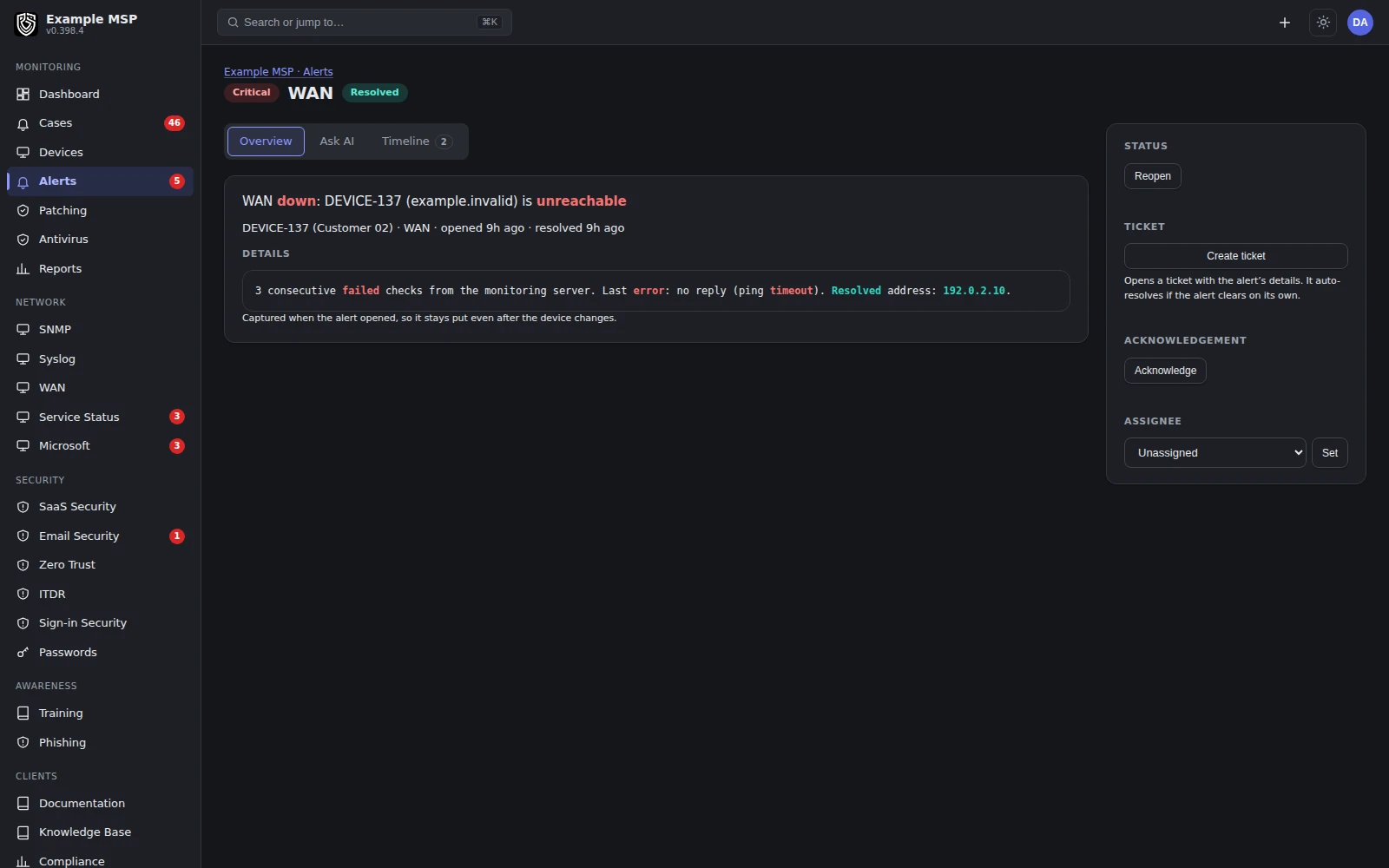
An alert with its device, customer and history on one screen. Product capture with fictional customer names.
The five questions
What every piece of work has to answer.
01
What needs attention?
Monitoring policies raise alerts at the thresholds you set for each customer. Duplicates are grouped, maintenance windows and snoozes keep planned work quiet, and an alert resolves on its own when the condition clears.
02
Which device and customer?
An alert opens onto the device, the customer it belongs to and its recent history. A remote session or a script is one step away.
03
Who owns it?
Alerts on the same device gather into one case with an owner and a state. Tickets, time, remote sessions and notes attach to that case instead of drifting apart.
04
Which response is permitted?
Technicians act within their role and the customers assigned to them. Destructive actions, such as a wipe or a factory reset, require typing the device name first.
05
What happened, and what shows it?
The case records what ran and who ran it. When it closes, it records how: the monitored condition recovered, or a person closed it by hand or asserted the fix.
Inside Revolutionary RMM · Cases
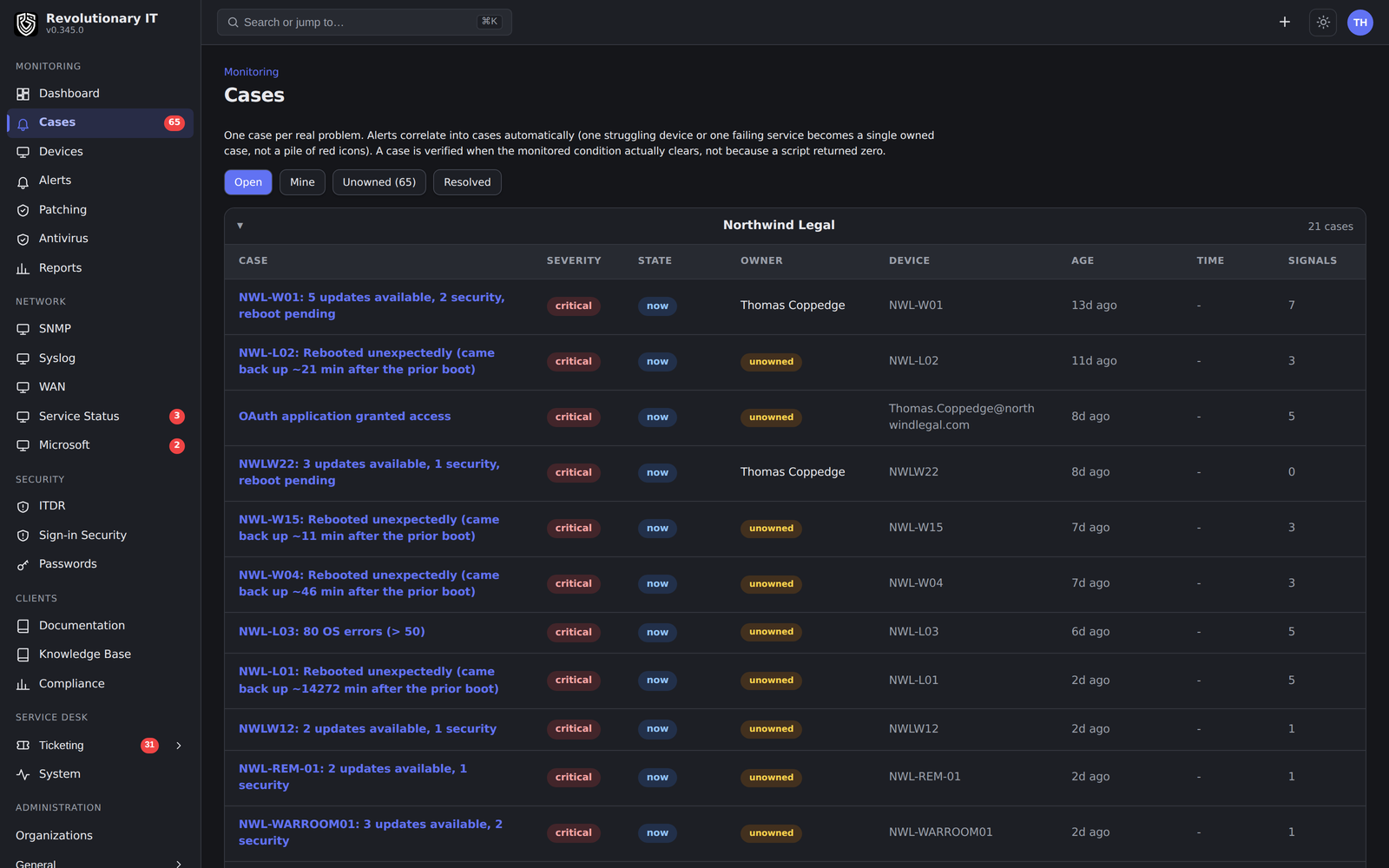
Cases with their owner and current state. Product capture with fictional customer names.
One real example
An update that needs a reboot.
Windows keeps listing an update as needed until the reboot that finishes it. A tool that only reads that list will install the same update again and again. Here is what Revolutionary RMM does instead.
01
The install runs
A technician deploys the update to selected devices, or, for critical and important updates, an automatic rule deploys it after the number of days you chose.
02
Windows still reports it
Until the device restarts, Windows lists the update as missing, even though the install has run.
03
Waiting for reboot, not reinstalling
The platform marks the update as waiting for reboot and does not deploy it again. The Patching page shows how many devices are waiting and offers Reboot to finish in place of Deploy.
04
The technician chooses when to restart
Restarting is a separate action, so it can happen at a time that suits the customer.
05
The next scan confirms
After the reboot, the update either leaves the device's list and is recorded as installed, or it is still offered, which means the install did not take, so it is queued to try again.
Inside Revolutionary RMMPatching
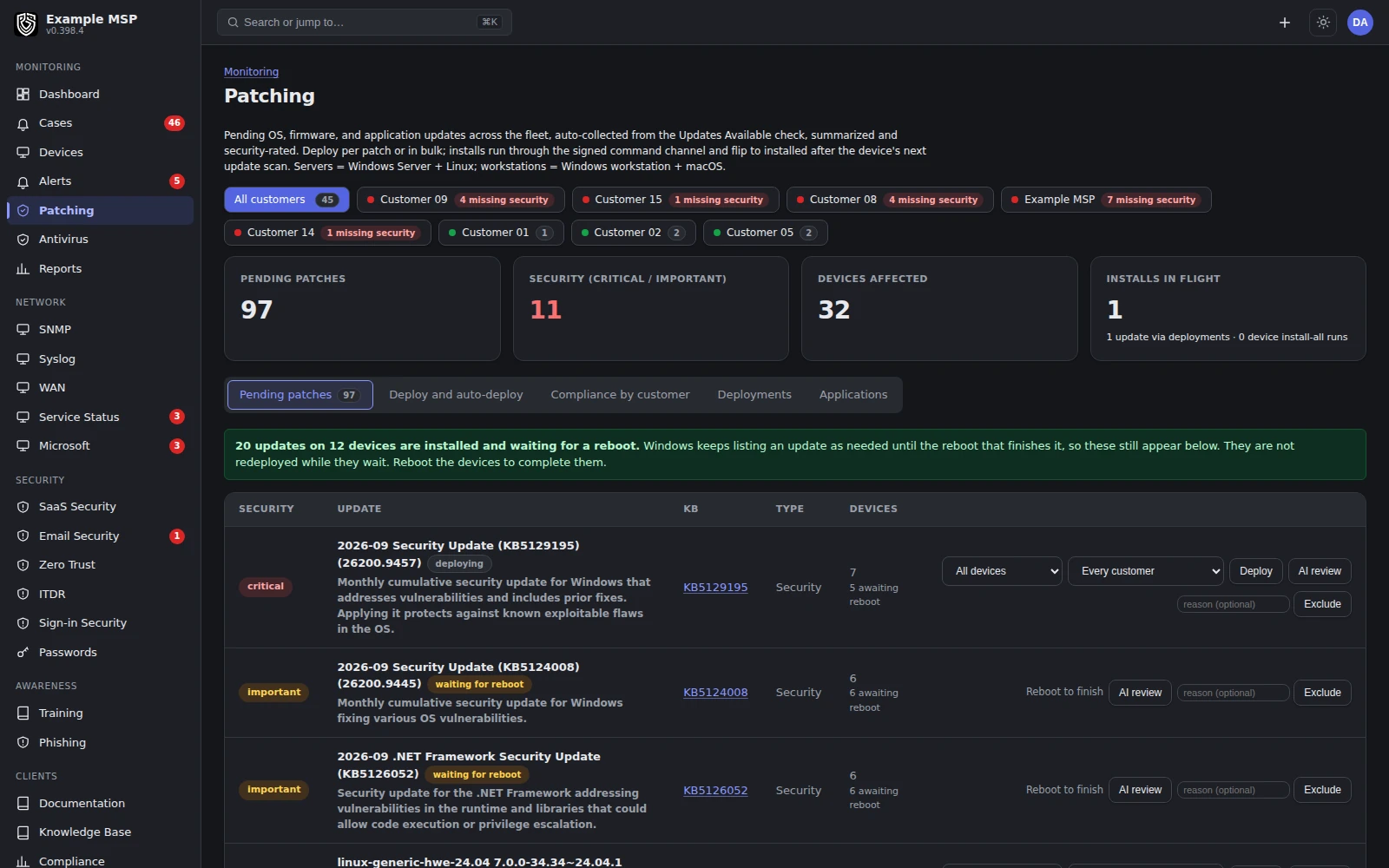
Updates across customers, with how many devices each one still needs. Product capture with fictional customer names.
An update waiting for its reboot still counts as outstanding security work, because it is not protecting anything yet. If an install runs three times on a device and never takes, the automatic rule stops retrying it and the Patching page names it. A technician can still deploy it by hand.
Inside Revolutionary RMM · Device patch selection
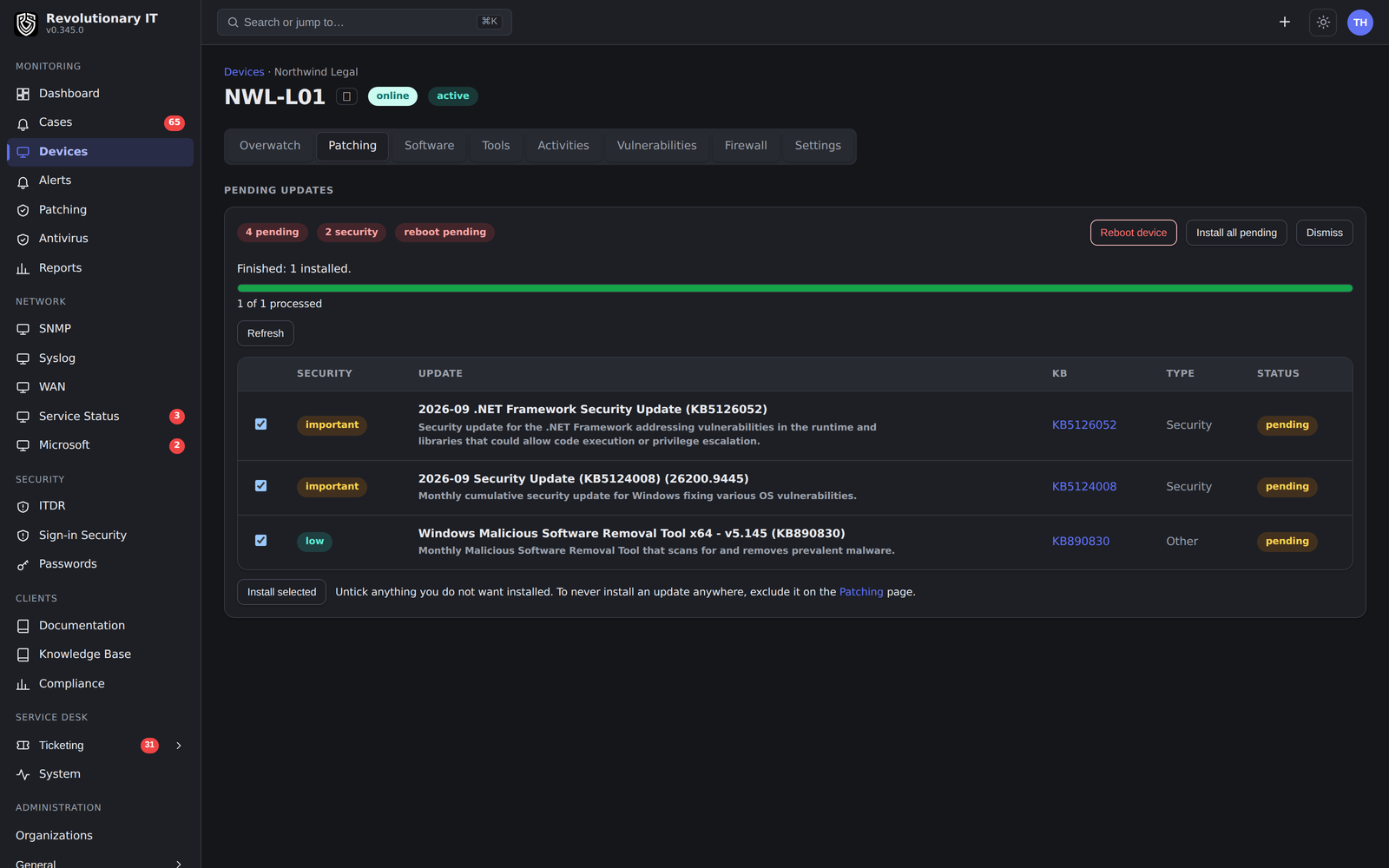
Choosing individual updates for one device. Product capture with fictional customer names.
Released in September 2026, in versions 0.398.0 to 0.398.3.
Evidence
An action is not an outcome.
A script that exits cleanly is not proof the problem is gone. Revolutionary RMM keeps three kinds of record apart, so you can see which one you are looking at.
01 / RECEIPT
What ran
The command, the device, who sent it and when. This tells you the action happened, not that it worked.
02 / OBSERVATION
What changed
A later check or scan shows whether the intended state was reached, such as free disk space or an update leaving the list.
03 / CLOSE
How it ended
A case that closes on its own records monitored recovery. A case closed by a person records that it was a manual close, and who made it.
Not in the product today: honest outcome metrics, with clear definitions for time to owner, time to verified resolution and how often fixes hold, and missing or excluded cases shown.
See it on your own workflow.
Bring an alert, an update or a ticket your team handles every week. We will walk it through from the first signal to the record that shows how it ended.
